I know there are similar topics, but the most recent uses a different wall button. I’ve got Liftmaster 889LM wall buttons, and recently updated the build to 1.5.7.7. Last night, one of the garage doors opened and closed on its own without being initiated by anyone. Then, in the middle of the night, my garage door opened at 12:31am and remained opened. I received an alert at 3:46am that my wife’s garage door was open, but when I went downstairs to check, her door was still closed; mine was indeed still open. So one of the alerts was a false alert.
Fast forward to this morning and the 889LM for my garage door had the Learn button flashing with a beep every 60 seconds or so. I cycled the power, which resolved that issue, it seems. This was not happening last night or at 3:46am when I checked on the doors. I would have loved to grab Home Assistant logs, but my damn Pi was offline at the time, so I have no logs to share.
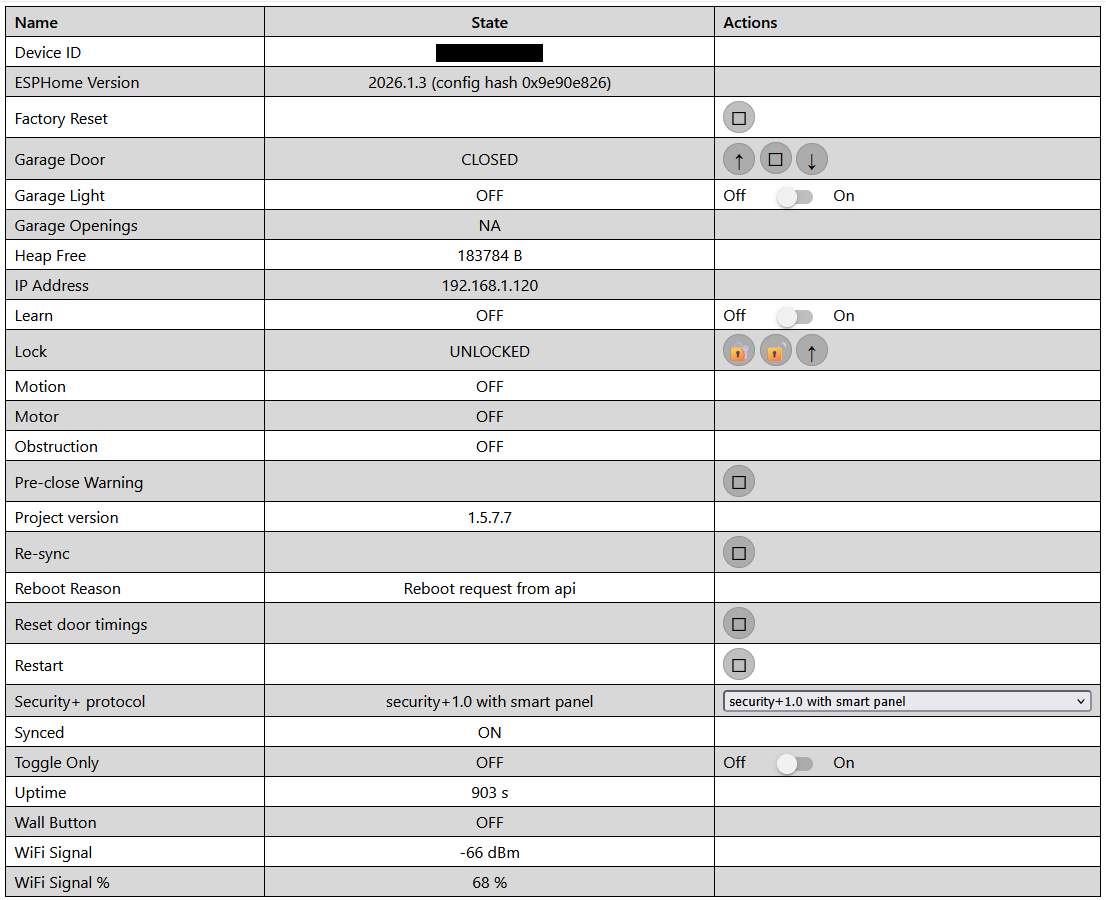
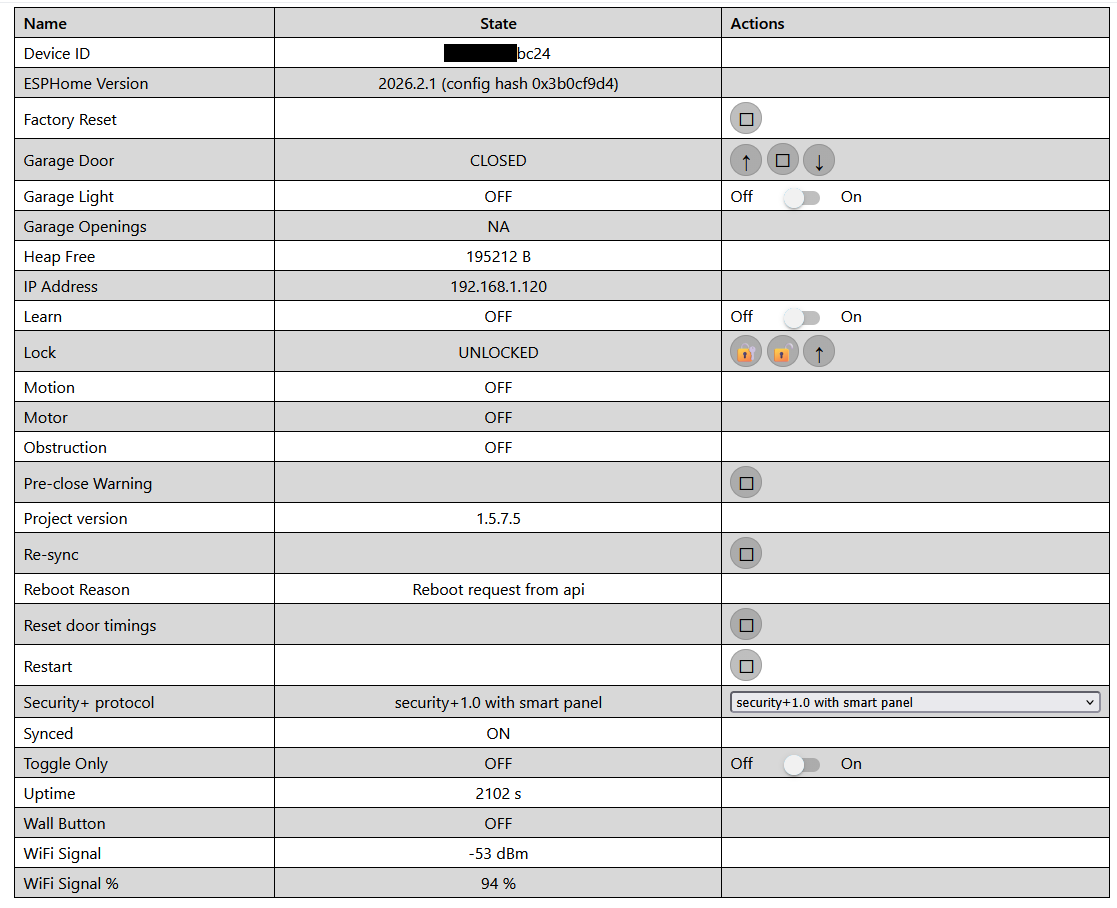
Anyone come across this issue? The fact that this is happening on multiple devices leads me to believe that it’s more related to the firmware than that weird Learn flashing issue only seen on one wall button. Here’s a shot of my current config page.
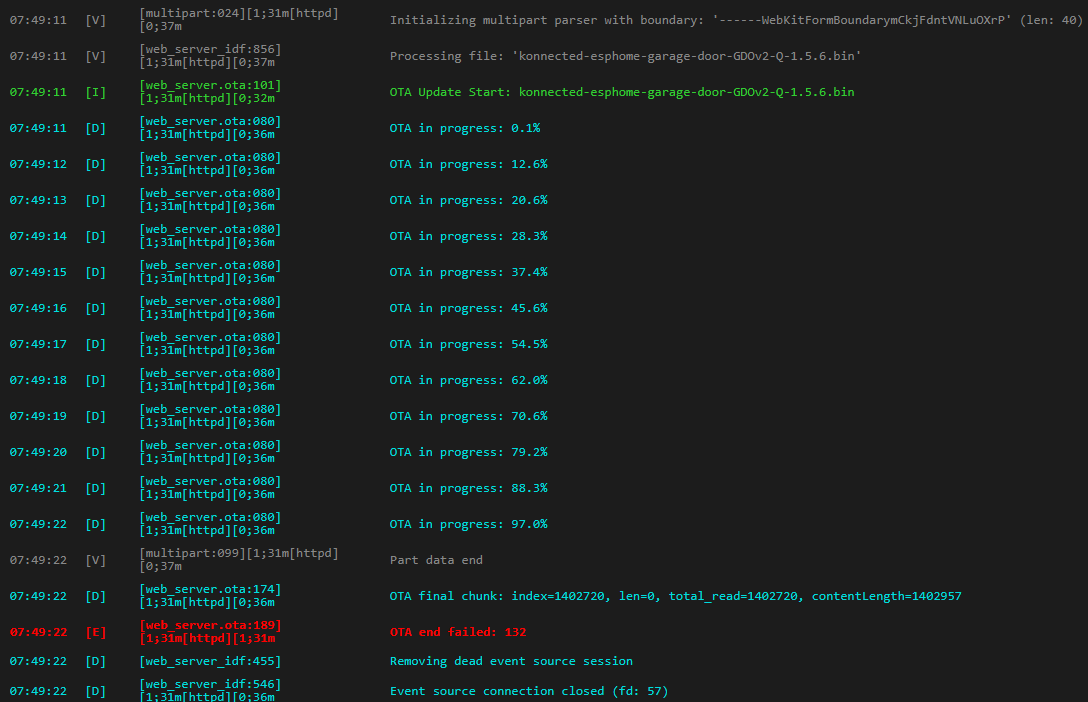
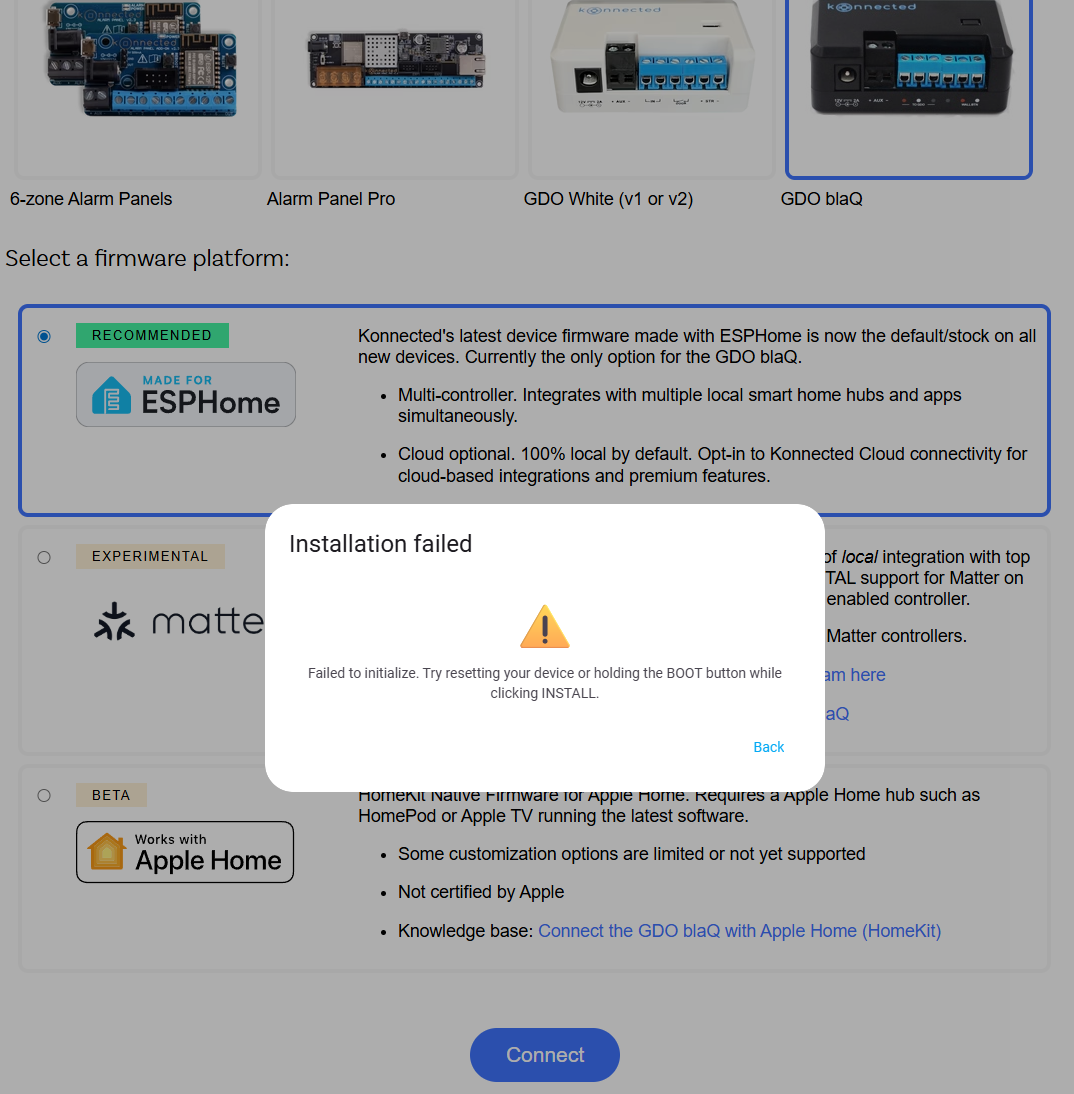
Is it possible to do an OTA update (rollback, in this case) on these using this? Release 2025.12.1 · konnected-io/konnected-esphome · GitHub When I attempt it from the web page of my wife’s garage door, the update fails. Definitely want to first try rolling back to a previous build, if possible.
There’s no material difference between 1.5.7 and 1.5.6 that would cause the door to randomly open or close. It must be something else.
If you want to OTA update, you need to use the file ending in .ota.bin or use the Konnected app to build and update a new firmware. The full .bin file is for physical re-flashing only. Usually the cause of the “Installation failed, Failed to initialize” error on the web based flash tool is either the wrong port selected or not using a data-capable USB cable.
I have no idea what might be causing this, but the next step would be to capture some logs to see what might be triggering it to open or close unexpectedly.
Hi, when I took my dog for a walk this morning I found my door open. Reviewing security camera footage it opened at 12:30am by itself, nobody was near and nobody came sneaking in.
Also using 889LM, it was replaced about a year ago after it went a bit crazy with random opens.
I am trying to figure out why the door would open at 12:30am, seems rather specific.
Also interesting, similar to reporter, my connection to HA was also offline, I updated the encryption key pushed an OTA and did not update the HA integration yet. So at the time the controller was up after OTA, connected to WiFi, but not connected to HA due to the key changing.
I really want to be able to explain why the door opened, not knowing the cause is concerning.
This was with running ESPHome 2026.4.5 and Blaq 1.5.8.
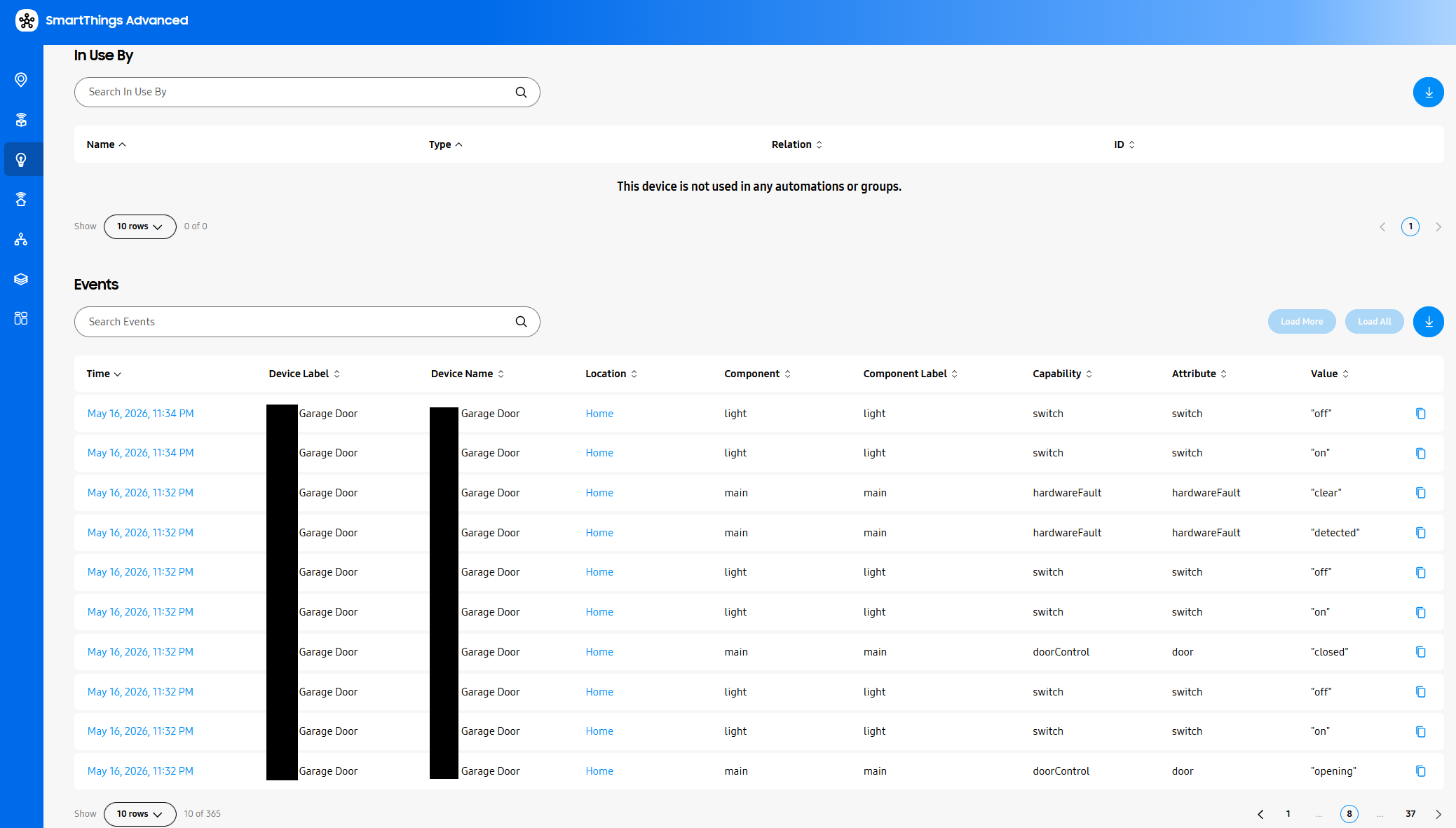
My BlaQs are on ESPHome 2026.2.1, and I do have them connected to my Home Assistant system. Yesterday, HA went offline for me for some reason, and I can’t find any logs as to when or why this happened. Fast forward to late last night, and around 11:30pm the logs in SmartThings start showing weird stuff, which eventually led to my garage door - only one of them - opening by itself, and then closing by itself 5 minutes later.
I see basically no logs in HA, which makes no sense to me, but SmartThings shows the following:
Honestly not sure where to go from here because this is the second time that this has happened where nothing can explain how or why. Here’s a screenshot of this particular door’s config in Konnected:
To add to this, I noticed on my garage camera that my BlaQ was blinking throughout the night, basically one blink per second. My wife’s did not appear to be blinking. Once I rebooted my HA box, the blinking stopped. I have no idea what to make of this.
I see your opener is also running security 1.0+, same as in mine, and in my case the current thinking is that the random open was caused by the ESP rebooting, and there is a possibility of the reboot triggering a door open/close on security 1.0+ openers. See issue.
My ESP’s are configured to auto-reboot if WiFi or HA fails to connect, which was the case that night, so the continuous reboots probably triggered the unintended door open. (I am looking for a replacement opener that supports 2.0+ that is not susceptible to the open on reboot issue.)
I see in your screenshot last reboot reason is triggered by API, any chance your ESP’s may have been rebooting frequently and happened to trigger the open/close on reboot?
I’m running HA on docker in a RPi4, with ESPHome installed as an add-on. I don’t think it was the add-on having issues so much as HA itself. When I went to look for logs this morning, HA was completely unresponsive. I power cycled it via SmartThings and once again, it was unresponsive, forcing me to cycle it a third time. Hilariously, this caused me to lose the logs from last night as my HA will only store logs from one reboot back.
HA/ESPHome has been relatively useless for me for my BlaQ’s, so I’m genuinely wondering if simply disabling HA integration resolves this issue entirely. I only had it enabled for the log retention and we can see how well that worked out for me.
I want to rebuild the firmware on these two but am waiting on input from Konnected first. Also weird that this only happened to my opened this time and not my wife’s.
Bought a new home. Haven’t moved in yet. I just connected a GDO blaq to a Liftmaster 8500. Seems to work standalone when I’m there on the LAN. But today, my dad called me to say the garage door opened on its own and he could not get it to close. He said there was a beeping sound (I don’t know from what device). I told him to unplug the GDO and then he was able to close it.
The Liftmaster 8500 should be Security+ 2.0??? it’s got a Yellow square button, but the manual labels that as a “DOWN” button. Gemini says that’s the the learn button. But Yellow Square doesn’t match anything on the Chamberlain website list (Support) except for openers prior to 1993, so I’m confused. This unit has a manufacture date of 2018. It’s a jackshaft unit.
Is the GDO Blaq safe to use?
EDIT:
The GDO webpage shows: security+1.0 with smart panel. It chose this automatically. None of the other settings work. The blue LED is blinking slowly, but it’s always done that so I didn’t know what it means. The konnected page on LED status isn’t helpful. The device obviously has a network connection and IP assigned.