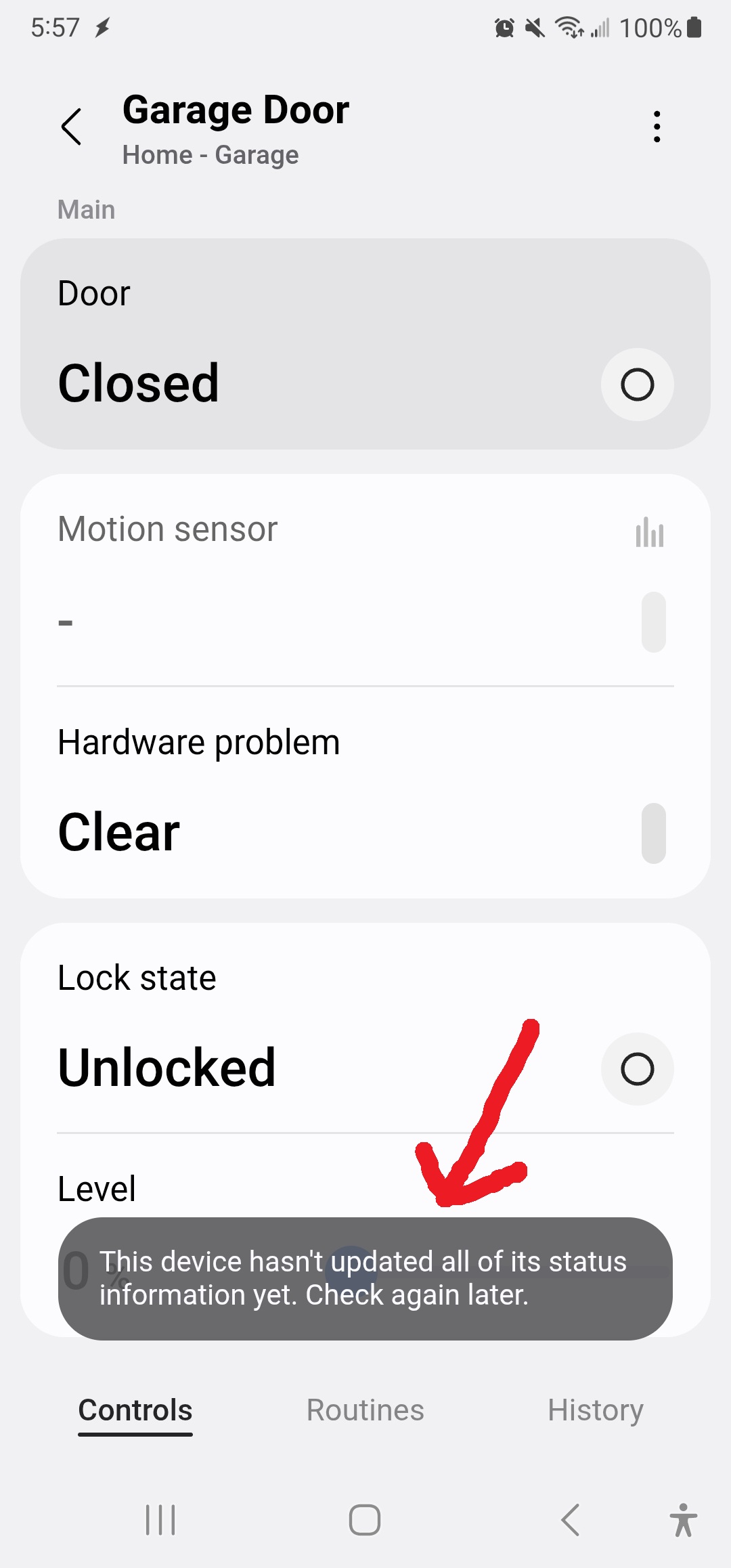
Yes, the blank spot for the motion sensor is related.
There are two different “device profiles” for the GDO blaQ in SmartThings, one with motion sensor capability and one without. It’s supposed to detect if you have a motion sensor and select the right one.
Please send me your device ID and I will look into this on the back-end to see why it didn’t select it properly.
Hi Nate, I messaged you my Device ID. I do plan on installing an 889LM control panel this weekend. Maybe after that is done the motion sensor will update in SmartThings?
Does it depend on the wall panel or does the garage door opener itself need the capability to report that type of info back?
I have a 2004 Sears Craftsman 1/2 HP Garage Door Opener with a Square Orange/Red Learn Button and an original OEM Craftsman 78LM wall panel right now.
I updated it on the backend to use the profile without motion. It should refresh in your ST app within a few hours.
Yes the 889LM should be compatible with that opener. The motion capability depends on the wall panel, so if you ever install that one, it should start getting motion updates automatically and switch profiles in ST.
I updated it on the backend to use the profile without motion. It should refresh in your ST app within a few hours.
I am going to install the 889LM in a bit anyway, but my ST has yet to update and switch profiles just FYI. Whatever you did on the backend didn’t seem to have an effect.
I upgraded my wall panel to the 889LM and I continue to have the same status message in SmartThings. The motion sensor section is still blank even though he 889LM has that capability.
Make sure that the little physical “SENSOR” toggle on the 889LM is switched ON. If this is in the OFF position, the 889LM will not report motion at all.
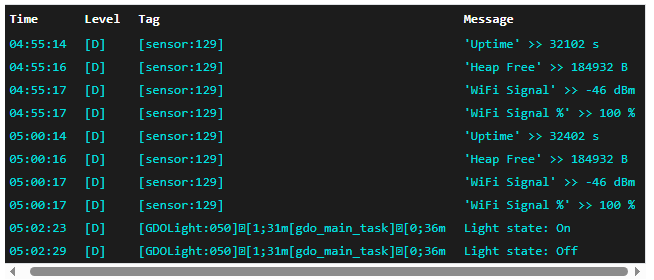
So after my latest firmware update and install, all is working as it should except for this pesky motion sensor. It still won’t report its status in SmartThings. The little button on it is flipped to ON, and the motion sensor itself does work… just SmartThings cannot see the status of it. In this screenshot, at 05:02:23 that was me walking in and the light turning on via the motion sensor on its own, and 05:02:29 was me pushing the light button on the wall panel to turn it back off.
Nate, I just installed a second GDO blaq and for some reason it is not showing online in Smartthings. I can see and control it from the Konnected web interface and it shows up in Smartthings but stays offline. The one on my other door is functioning correctly except I notice it doesn’t report the status of the 889LM motion sensor per some of the comments in this thread. Both GDO have an 889LM wall control. Let me know what you need to investigate.
Thanks.
I think I found the issue. The Konnected Cloud setting wasn’t enabled. Once I enabled and reloaded the firmware the GDO is now online in SmartThings.