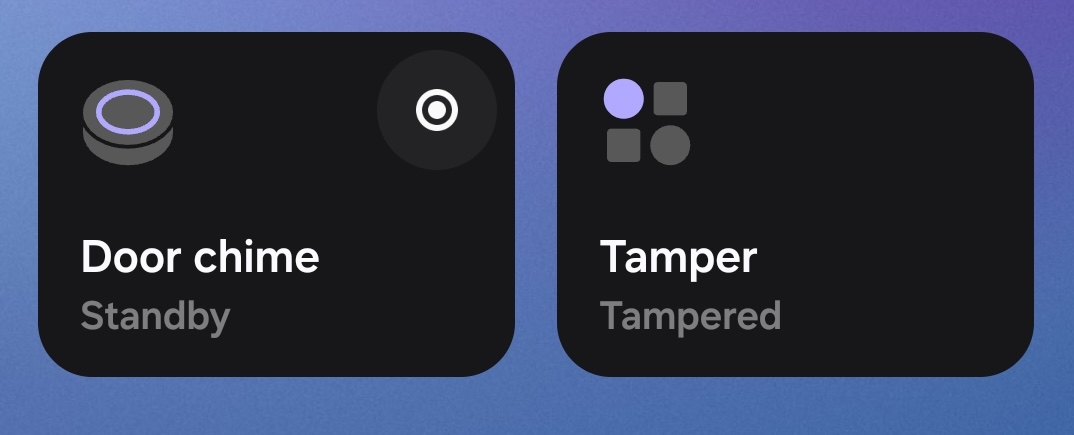
We’ve pushed a quick update to our SmartThings integration today that cleans up the UI and adds some dedicated functionality for specific alarm setups. We’re rolling out two new Device Profiles to make your dashboard look cleaner and act smarter.
We have replaced the generic “Momentary Switch” type with a proper Momentary Button.
Previously, momentary switches (like a relay trigger or a door chime) showed up as a toggle switch on your dashboard. This was a bit confusing because you’d turn it “On” and wait for it to turn itself “Off.”
How it works now: It now behaves like a true push-button. You press it once, and it automatically reverts to the “Standby” state after the specified delay.
Best used for: This is perfect for Door Chimes (as seen in the screenshot), “beep-beep” commands, or garage door triggers.
Good news: You don’t need to do anything! Any pre-existing momentary switches in your setup will automatically convert to this new button profile.
2. New “Tamper” Sensor Profile
We’ve added a dedicated sensor type to represent a Tamper circuit on an alarm system.
Previously, you might have had to map a tamper switch to a generic contact sensor. Now, you have a dedicated UI that clearly tells you the safety status of your enclosure.
Visuals: The tile clearly displays “Tampered” or “Not Tampered” so you know exactly what triggered the alert.
Configuration: Like all sensor zones, this is defined in the Konnected app.
Logic: By default, an “Open” circuit reads as Tampered and “Closed” reads as Not Tampered, but you can invert this in the app settings if your hardware requires it.
These updates should be live now! Let us know if you have any questions or feedback on the new SmartThings capability.
Hi there. This momentary button update seems to have broken my setup. It used to be a momentary toggle which was set to arm or disarm my alarm system. Now it doesn’t work - it does nothing. Also, all of my automations seem to be broken too. Anyone else having issues with this update?
You may need to update your automation actions to press momentary instead of turn on switch. It should work the same as before, just the interaction in ST is slightly different.
If it’s not working at all, please let me know your device ID and I will look into it.
Thanks Nate. Agreed - Aside from the routine updates (which were an easy fix), the bigger issue was that the momentary switch was non-responsive…. but that seems to have fixed itself. I think my device is still on the legacy platform, so your fix likely solved that.
Thanks for fixing the bug. This change was the right thing to do and I have no issue with it.
===
I am posting again to alert others to an untended consequence of this change.
I use to ask Alexa to open and close the garage door all the time, but Alexa does not seem to understand SmartThings push buttons. Allegedly this is because they do not accept commands but I have not researched it completely.
My push buttons were inoperative (still defined as switches) when accessed from the Alexa app, and when I deleted them and tried to rediscover them they were not found.
I am going to try to implement a hack-around using a virtual switch which will trigger the push button on state changes. If I get this to work I will post gain.
If anyone else has ideas on this subject I encourage them to share.
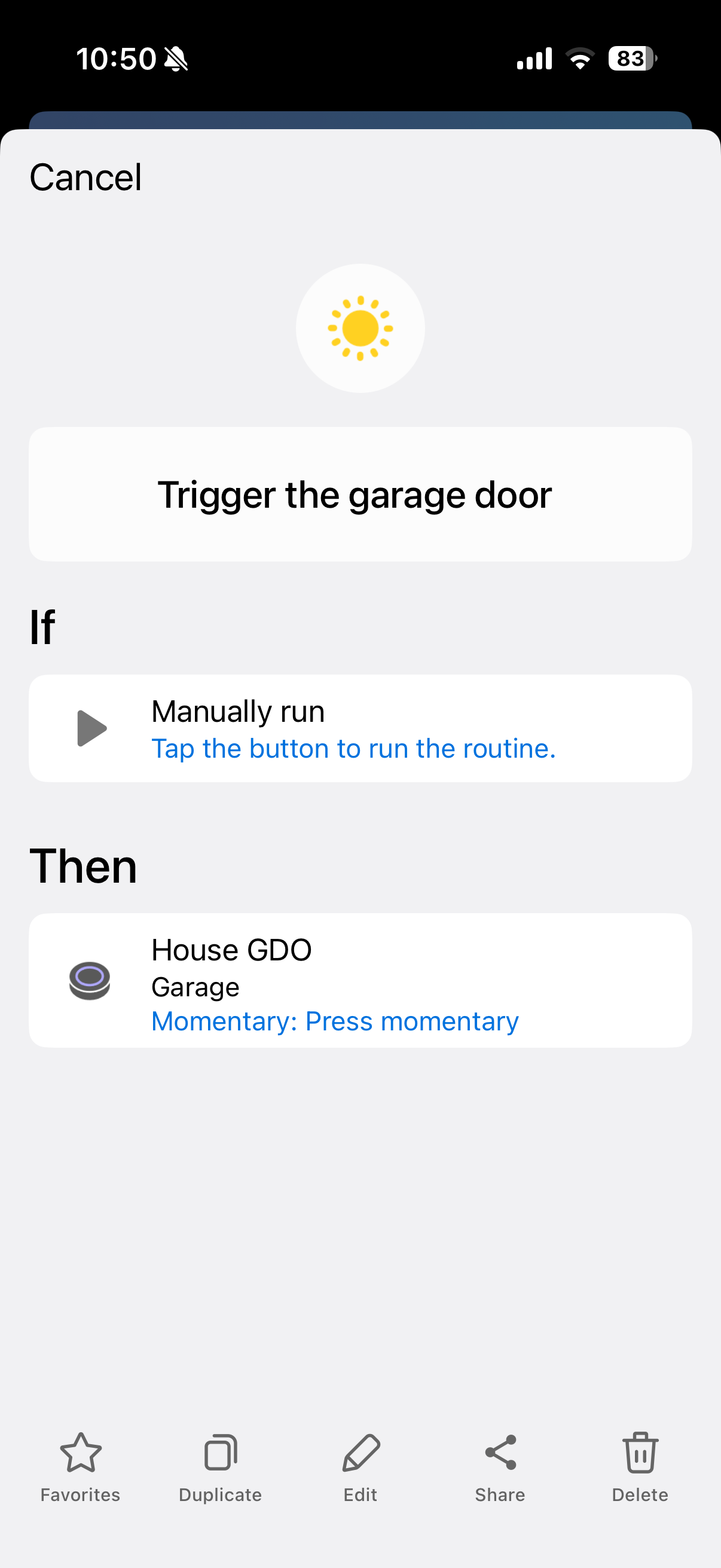
Before I started trying to hack this the hard way, I looked into what Alexa DOES understand and support. It understands what SmartThings calls manually Run Routines (formerly known as Scenes)
So I created a new one after which Alexa immediately notified me that it had learned about it.
Now I can say, “Alexa, trigger the garage door” and viola!