Some long-awaited and useful updates to the Konnected Alarm Panel Standalone Alarm System feature are now available!
 What’s New
The Standalone Alarm System feature allows you to configure your Konnected Alarm Panel as a standalone alarm system – with the arming/disarming/siren logic happening directly on the device with controls via Home Assistant. Now, we’re expanding that capability to SmartThings and Alexa users!
When you configure your Konnected Alarm Panel in the Konnected App, and enable Standalone Alarm System and Konnected Cloud and link either SmartThings or Alexa, you can now control your standalone Konnected Alarm system with those apps.
In SmartThings
-
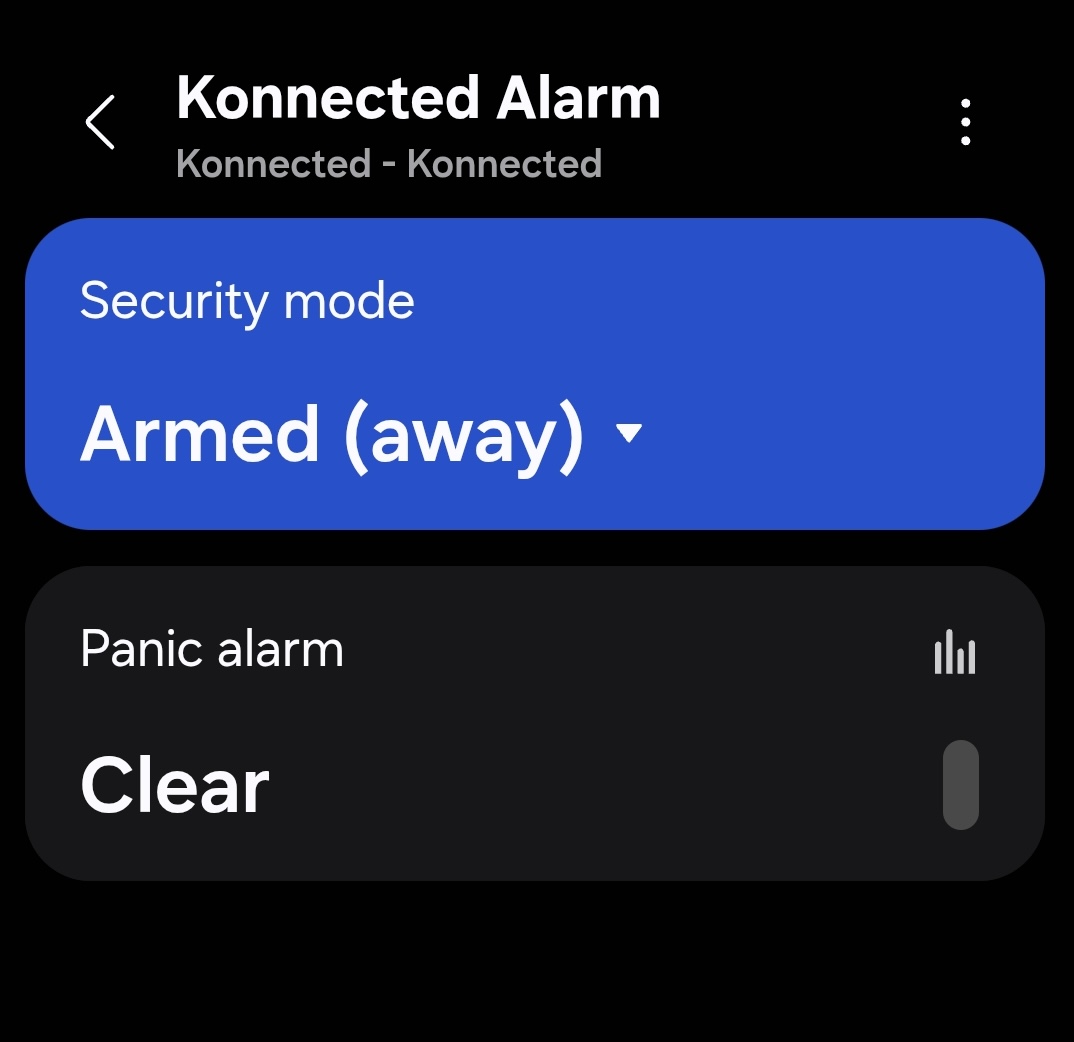
A new Konnected Alarm device will sync to SmartThings, with a Security mode toggle that allows you to arm and disarm the panel (you can rename this in settings)
-
There’s also a Panic alarm tile that shows an alarm state if the Standalone alarm is triggered.
-
If you have SmartThings Home Monitor set up, arming and disarming SmartThings Home Monitor and the Standalone Konnected Alarm will automatically sync both ways!
Limitations of SmartThings
- SmartThings Home Monitor and Standalone Alarm System do not share the same zone configuration, but they will arm and disarm in sync. You can set up the zones for each armed mode separately in STHM and the Konnected device settings.
In Alexa
-
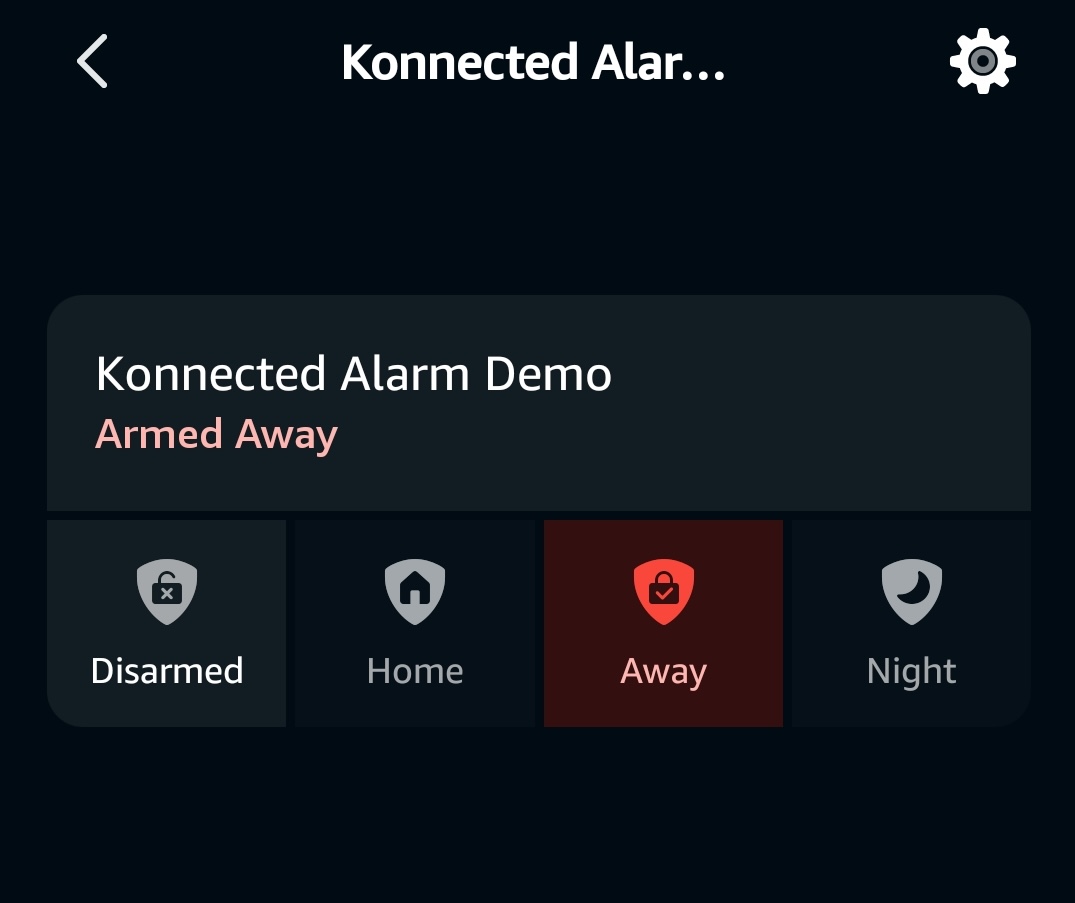
Finally!! Now you can arm and disarm the Konnected Alarm by asking Alexa!
-
Alexa will discover your Konnected Alarm or say “Alexa, discover devices” to manually kick off discovery after you’ve installed the Konnected skill for Alexa. You can rename Konnected Alarm either in the device settings (Konnected app) or just for Alexa (in the Alexa app)
-
Now you can say:
- Alexa, is the [Konnected Alarm] armed?
- Alexa, arm [Konnected Alarm] in [away/stay/night] mode.
- Alexa, arm [Konnected Alarm].
- Alexa, disarm [Konnected Alarm].
-
To disarm by voice, Alexa will ask you to set up a voice code. You can do this in the Alexa app by tapping the settings icon .
Limitations of Alexa
- PIN codes are not supported yet. Do not set up a PIN code in the Konnected standalone alarm system settings, otherwise you will not be able to disarm with Alexa. Use an Alexa voice code instead.
- Alexa does not support Routines triggered by the alarm system triggering. The siren will trigger if set up in the device settings, but Alexa automation capabilities are limited.
Automatically Bypass Open Zones
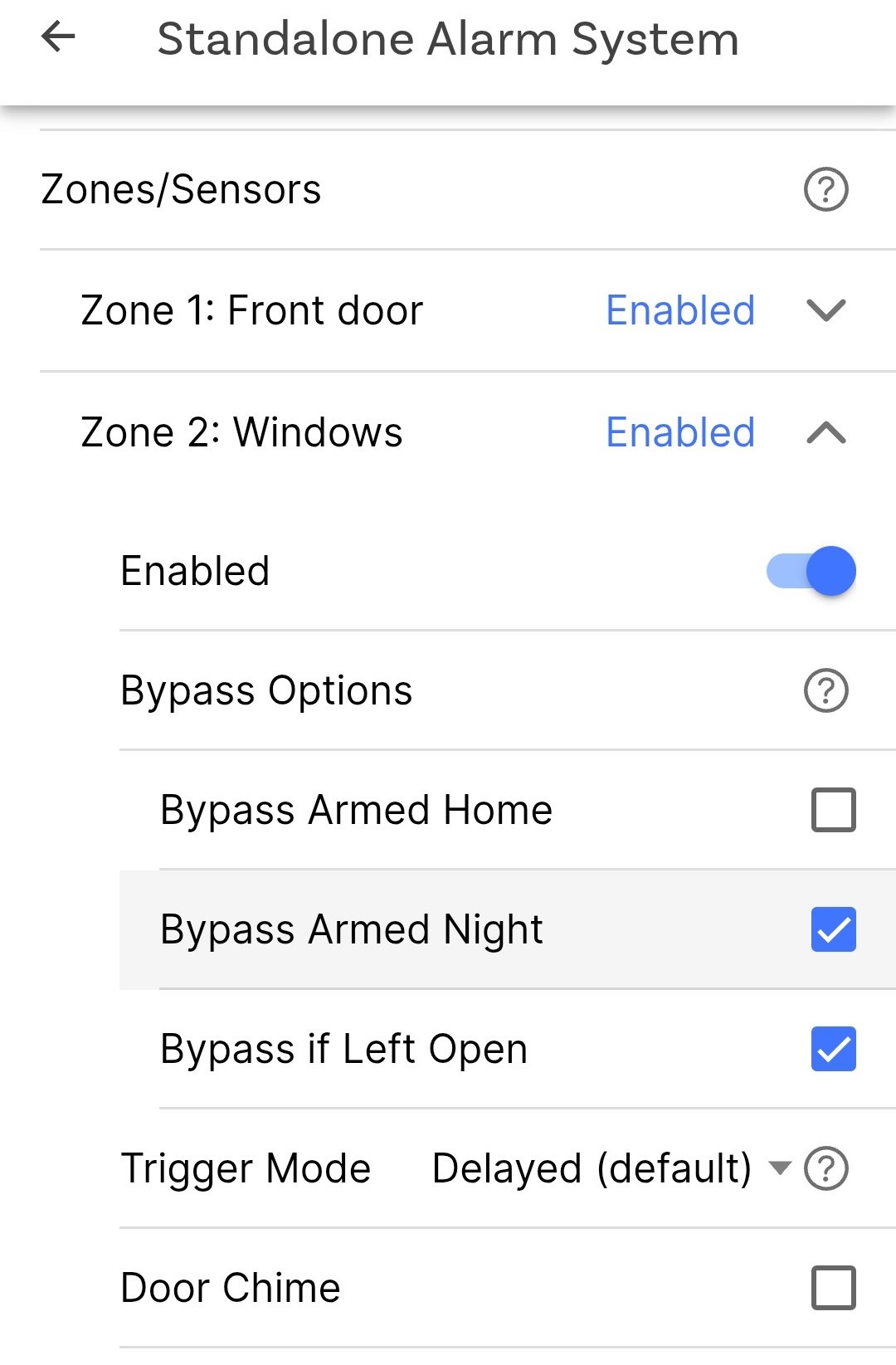
Have you ever left a window open only for the alarm system to arm and immediately trigger? This is not a great experience and can be stressful – especially if nobody is home to close the open zone. This is why we added an Auto Bypass feature, which you can enable per-zone, to automatically bypass that zone if it’s left open when the system is armed.
Siren Pulse
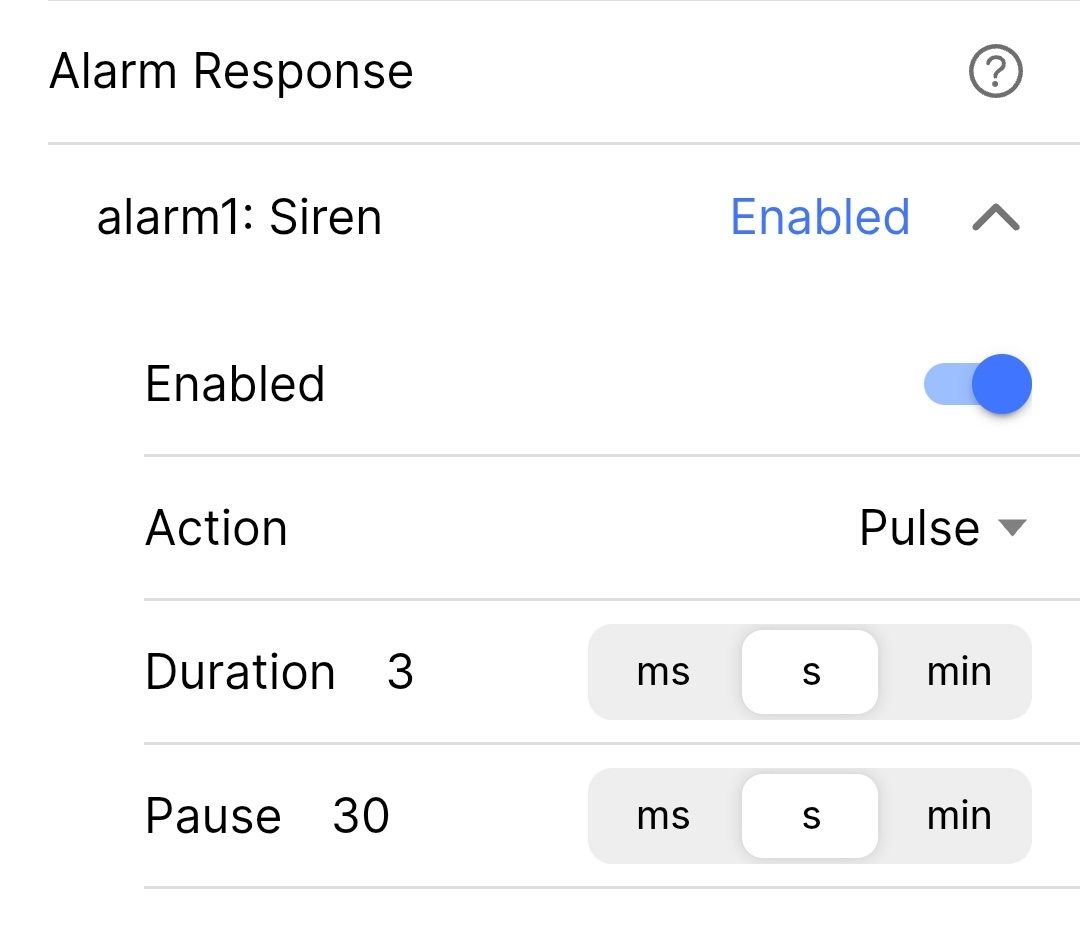
Personally, I find that turning on the siren full-blast when the alarm is triggered can be really shocking and stressful in case of a false alarm. That’s why we added a Pulse option in the Alarm Response configuration section. Now you can pulse the siren on and off when the alarm is triggered, still getting the loud alarm effect, but adding some calm and peace between bursts.
 Konnected App Support
To take advantage of these new features, update your Konnected app to version 1.6.6 or later. The app has been updated with configuration options for these extra settings.
Feedback, Comments, Questions
Please use this thread for any feedback/questions about these new integrations and capabilities. They’re super-fresh, so we’d love to hear your experience, and also what we should build next!