Newbie here and fairly tech-savvy, but figuring out the software part of setting up new Konnected Alarm and ESPHome is a head-scratcher. Wired/powered up the board just fine, setup new device in ESPHome, but it always shows as “offline”. For reference I’m using a TP Link Mesh system and Home Assistant uses ethernet, Konnected board uses WiFi, but I have them on the same network. Tried setting static IP’s and on the same subnet, but keep getting errors in ESPHome that “error connecting to 192.168.xx.xx, port 6053, and then SocketAPI Error”. Konnected board then continually goes offline requiring me to re-flash it to re-connect to WiFi and start all over. Any troubleshooting that is explained very basic with actual step by step to resolve? Thanks
Something doesn’t sound right. Can you access the device’s web page in the browser at its IP address?
Where are you seeing these errors? Can you post the logs or screenshot?
You shouldn’t have to re-flash it to re-connect to WiFi.
Yes I can access the devices webpage. Here is a screenshot as well as the errors from ESPhome every time Intry and update. Thank you.
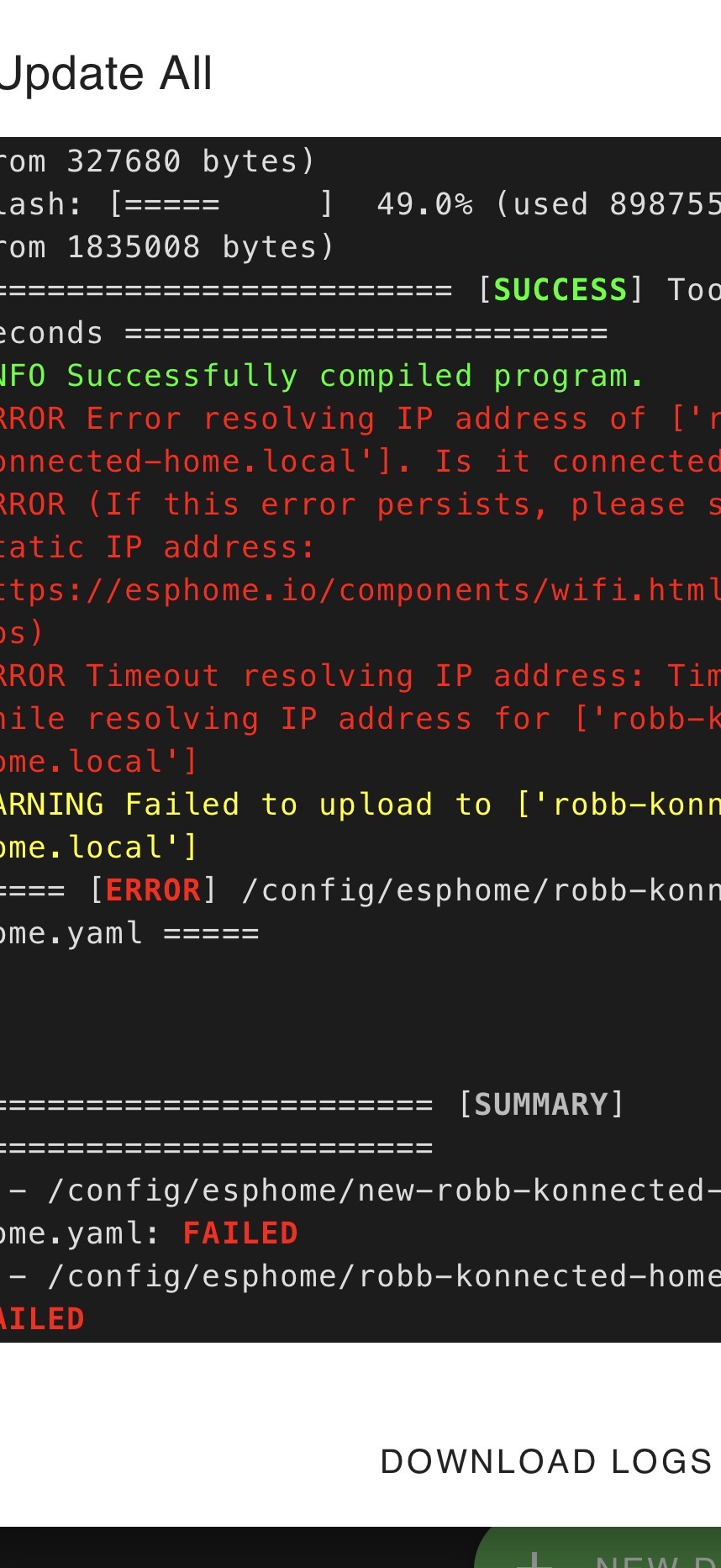
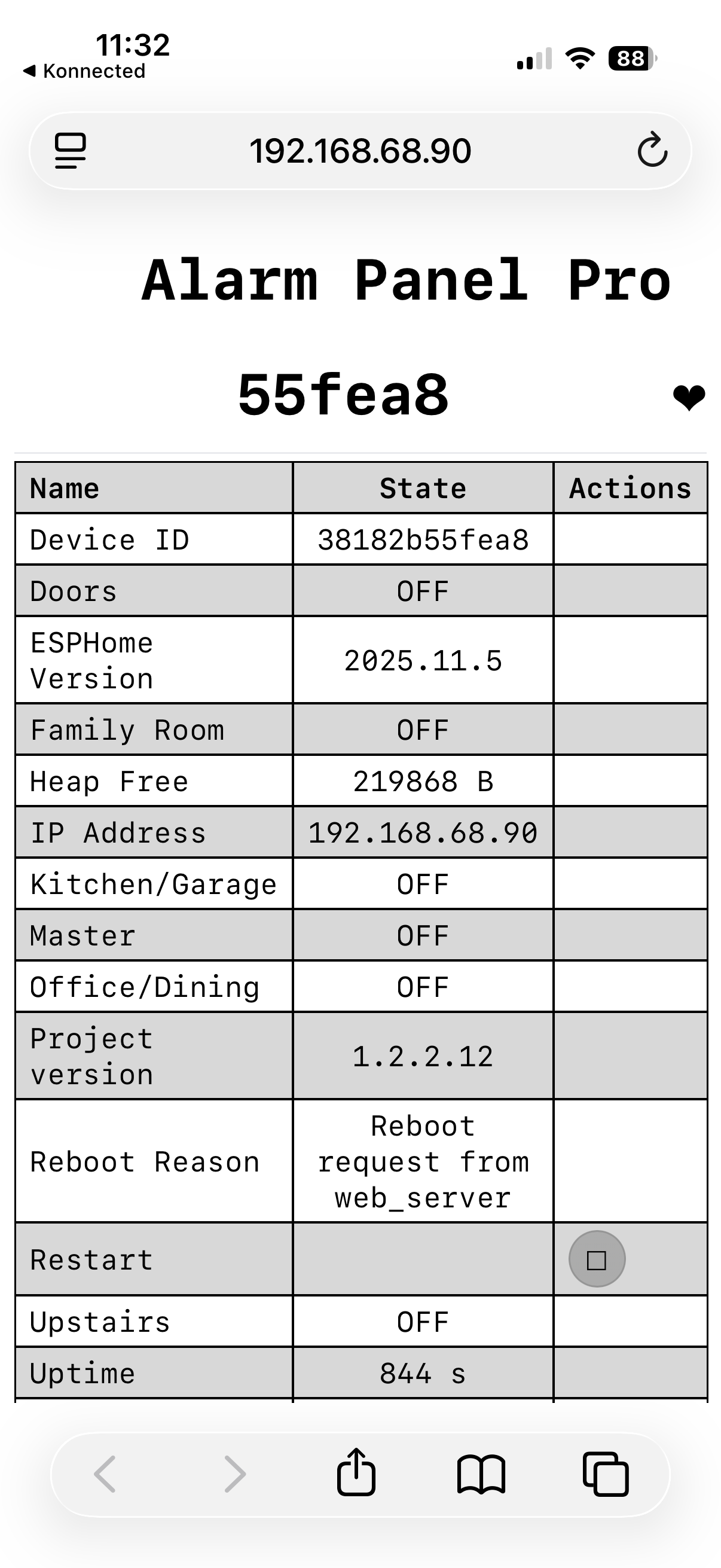
I see. It looks like you are using the Konnected app to configure and update the firmware, and then also trying to use ESPHome Builder to configure/update the firmware again. This is where you’ve gone wrong.
Choose only one method of managing the configuration and updating the firmware. Our app is the easy done-for-you method. ESPHome Builder is the fully manual, you-own-the-code method.
The reason that it appears to be “going offline” after you update the firmware from the Konnected app is for this very reason. Once our firmware customization service takes over the device config, it’s no longer discoverable to ESPHome Builder because you can’t have two systems managing the firmware config for a single device.
My recommendation – forget about using ESPHome Builder. You don’t need it, because we’ve already done all the heavy lifting for you, and it looks like you’ve already configured your device in our app.
All you have to do is find it in Home Assistant (it should automatically pop up as discovered) or go to Settings > Device & Services > Integrations > ESPHome to add it to HA manually by IP.
Thanks Nate - got it working. Appreciate the help.
If we would like to use the esphome builder but are in this same situation, how do we accomplish it?