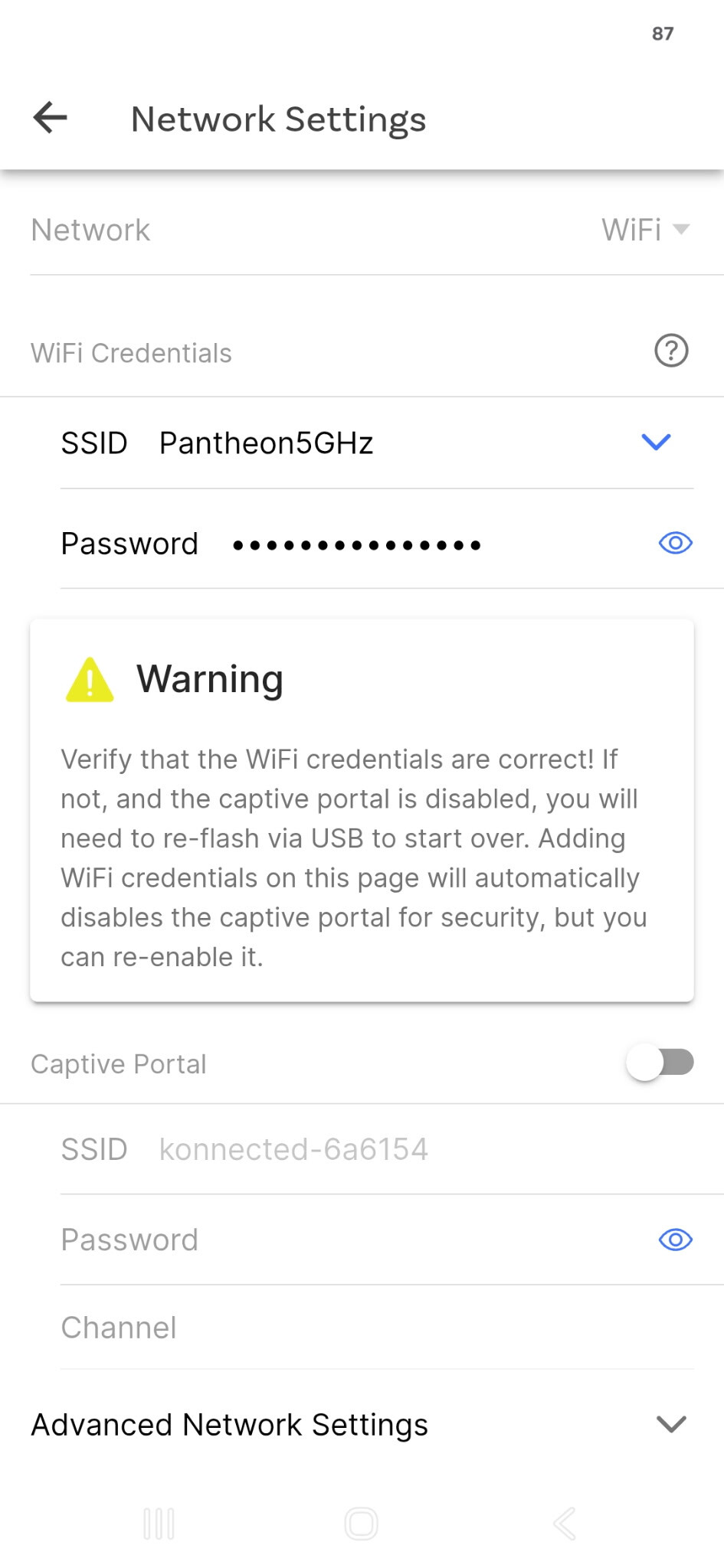
Just now trying to migrate legacy integration of Konnected in home assistant to esp32 version.
Updated firmware no problem. Connecting via ethernet.
App detects the device. Configure firmware and hit build. WHen trying to update I keep getting the message “Unable to determine OTA update is successful, please reboot the app”
Rebooting the app does nothing. Device is no longer visible on LAN at this point. Cycling power to device does nothing. At this point only way to bring device backonline is again flash firmware via USB cable.
Kinda stuck here…
Only thing I haven’t tried is using wifi firmware.
Tried wifi firmware same issue. Once trying to update firmware via app device is basically non responsive on network and will not reconnect.
Update**
Somehow finally got it visible within home assistant but I I had to update all zone names from within home assistant. If I try to do any configuration via app device goes non responsive no matter how many times I reboot it which ends up requiring reflashing.
My suspicion is that it’s reverting back to the wrong Ethernet controller type when you build/customize in the Konnected app, and that’s causing it to go offline after the OTA update.
Go back to the Konnected app, go to the device Settings > Network > Ethernet and make sure that the Ethernet type for your board version is selected (see the version number printed on the front of the board under the logo).
I’m getting the same error “Unable to determine OTA update is successful, please reboot the app and check the sw version”.
What I learned later, Clicking “open web page” will send me to the Alarm panel and I can confirm the version number is updated to x.x.4 in my case. So it did work, right?
my findings: At this stage I’m still experimenting so I haven’t wired anything up yet. Merely trying to understand what will be the best way to update the system (for future) before I take it in operation/ replacing my old alarm system.
In my earlier attempt I went to check my email and followed the link app.konnected.io/devices/xxxx to download the firmware created from the App and install it via USB:
Plug your Konnected device into your computer with a data-quality USB cable.
Click the blue CONNECT button.
But the Blue Connect button never shows up. Only a sign-out button shows
I went to install.konnected.io and flashed it with a factory default firmware. Also proving the USB cable works and any serial drivers needed. I managed to get the account sync’d with SmartThings + detected in Home Assistant…
I learned when I go into ESP Home to do configurations and adoption of the alarm panel, this will kill the App controlled firmware + the sync with ST (as can be expected - as described somewhere on this community).
So if I understand correctly, configuration via ESP Home is not needed to be independent from the internet, if I checked the box of “stand alone” in the app.
But the download process of the App generated firmware is still bothering me a little…
I thought that, but Network is grayed out and I cannot change that. So I presume that I have to have my board connected to my computer with a USB cable in order to be able to change to Ethernet.