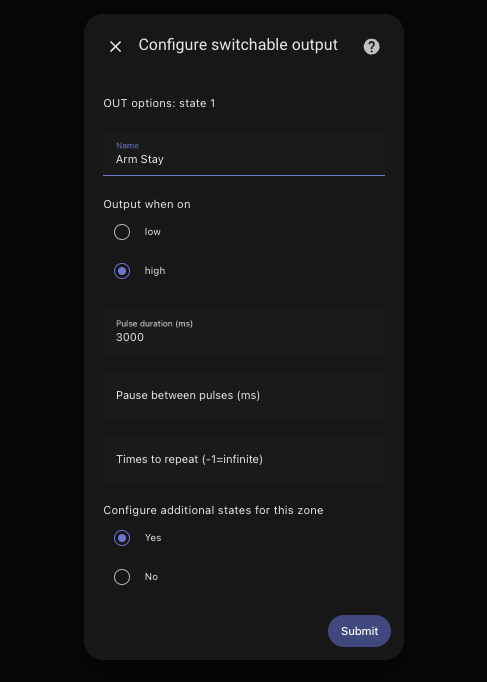
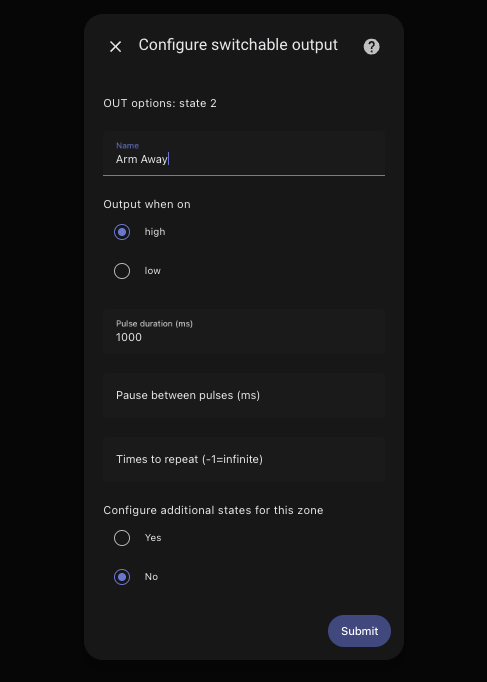
I am trying to replicate my configuration in ESPHome to that of the old Konnect integration in HomeAssistant. I was able to add multiple switchable outputs (Arm Stay and Arm Away), but unsure how I can now do this in ESP. Any help would be appreciated… Thanks
Hi @Grant_C,
Use the Konnected app to customize the zones and settings on the device.
If your setup is in-parallel with a traditional alarm system and you’re trying to add arm/disarm triggers, try the new Alarm System Interface feature that can be enabled in the Konnected app, which simplifies this type of setup quite a bit!
Let us know if you run into any questions on the way.
1 Like
Thanks Nate - had to go down the YAML path but go there in the end.
switch:
- id: armed_away
  name: “Armed Away”
  pin:
    number: $alarm
    allow_other_uses: true
  platform: gpio
  icon: mdi:shield-lock
  on_turn_on:
  - delay: 1500ms  # adjust to set pulse duration
  - switch.turn_off: armed_away
- id: armed_stay
  name: “Armed Stay”
  pin:
    number: $alarm
    allow_other_uses: true
  platform: gpio
  icon: mdi:shield-home
  on_turn_on:
  - delay: 3000ms  # adjust to set pulse duration
  - switch.turn_off: armed_stay
Any way to get a second alarm status option added to the Alarm System Interface or manually add one. I have my vista set up for pin 17 to trigger armed home, pin 18 to trigger armed away, and using the siren output to trigger the alarm trigger. With the old firmware I am able to assign a zone to home and a zone to away so I can tell if it is armed home or away. Right now with esphome I only have the option of armed away regardless what real status the alarm is in. As a work around I am using the TotalConnect integration with HA that gives me the correct status but would be nice to use Konnected for it all rather than just the door and window sensors.