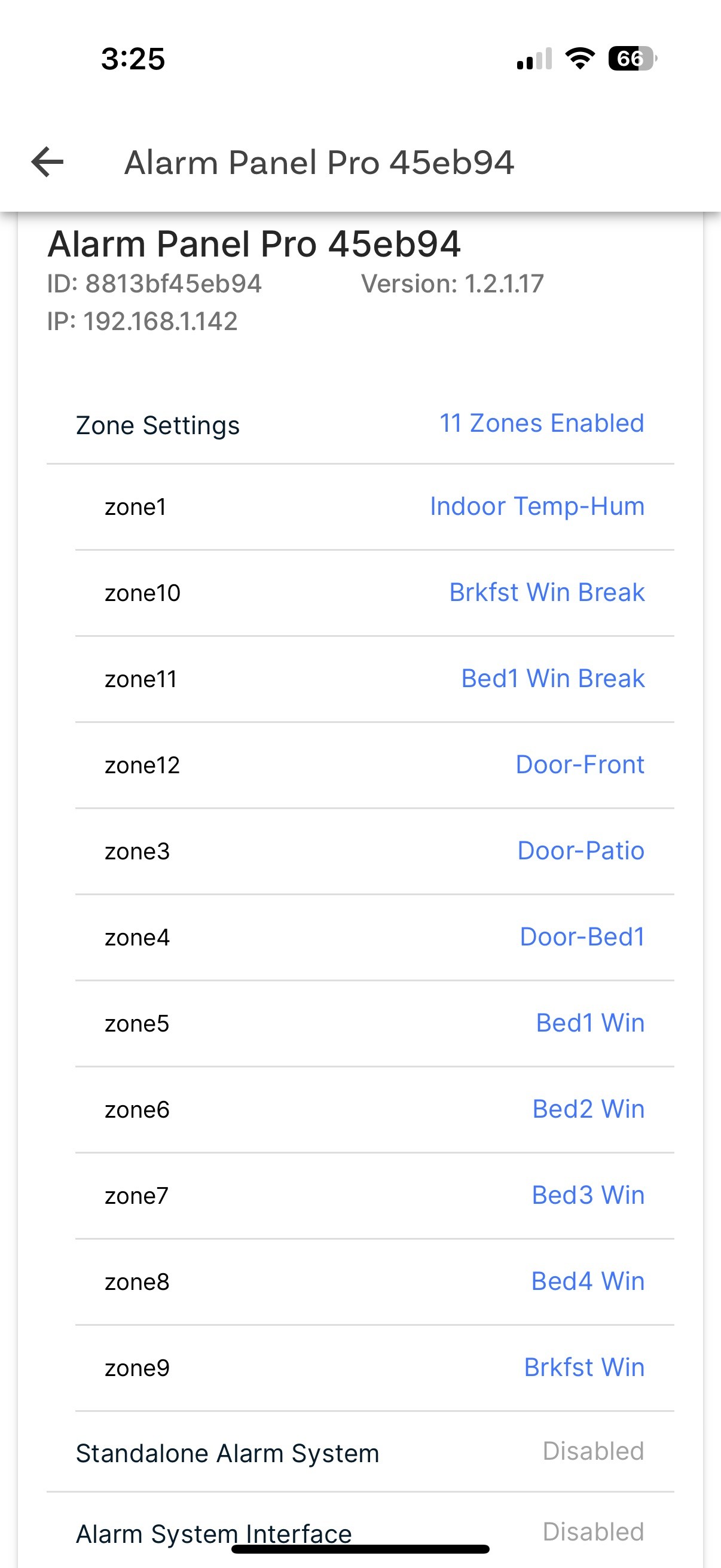
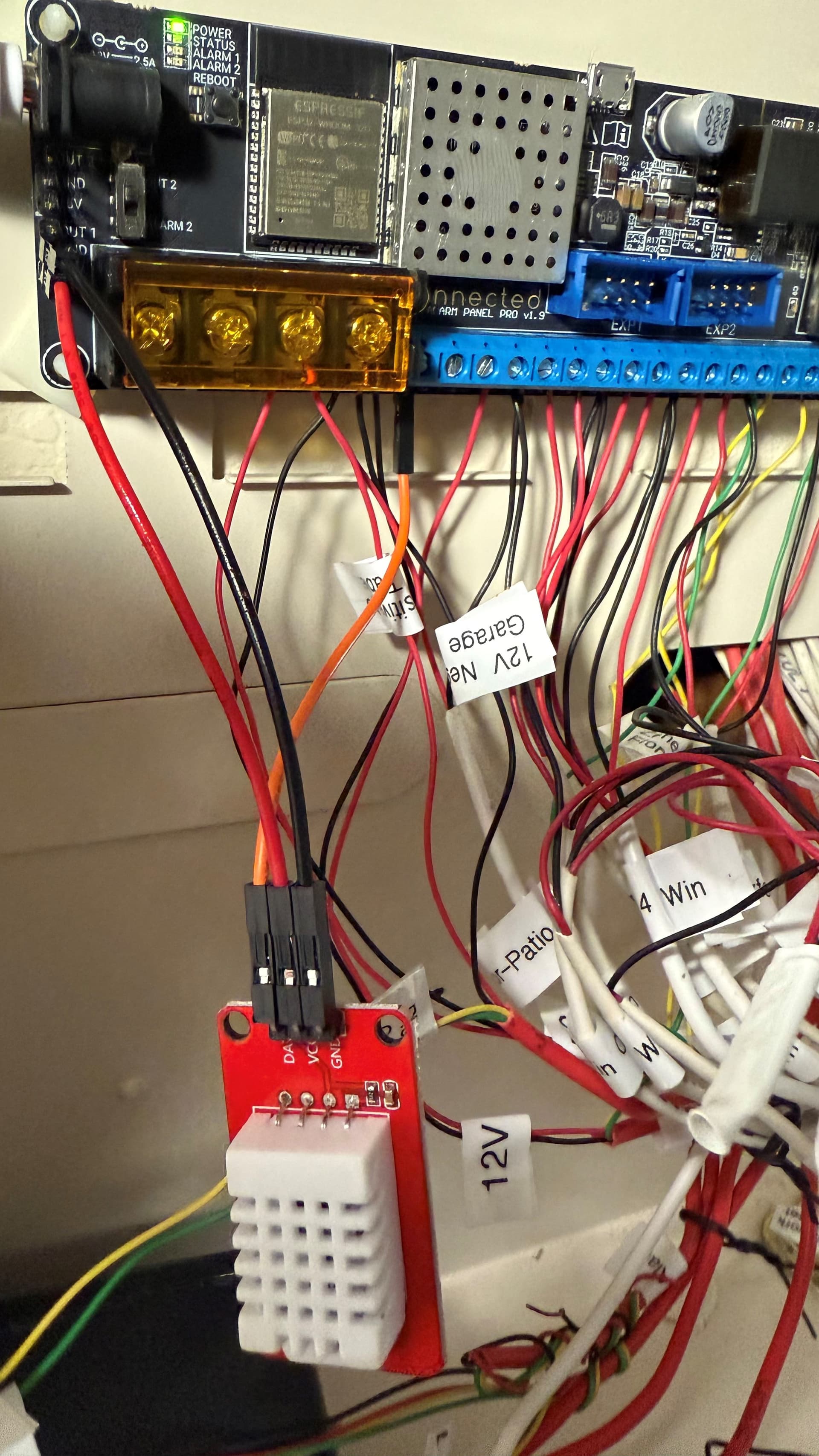
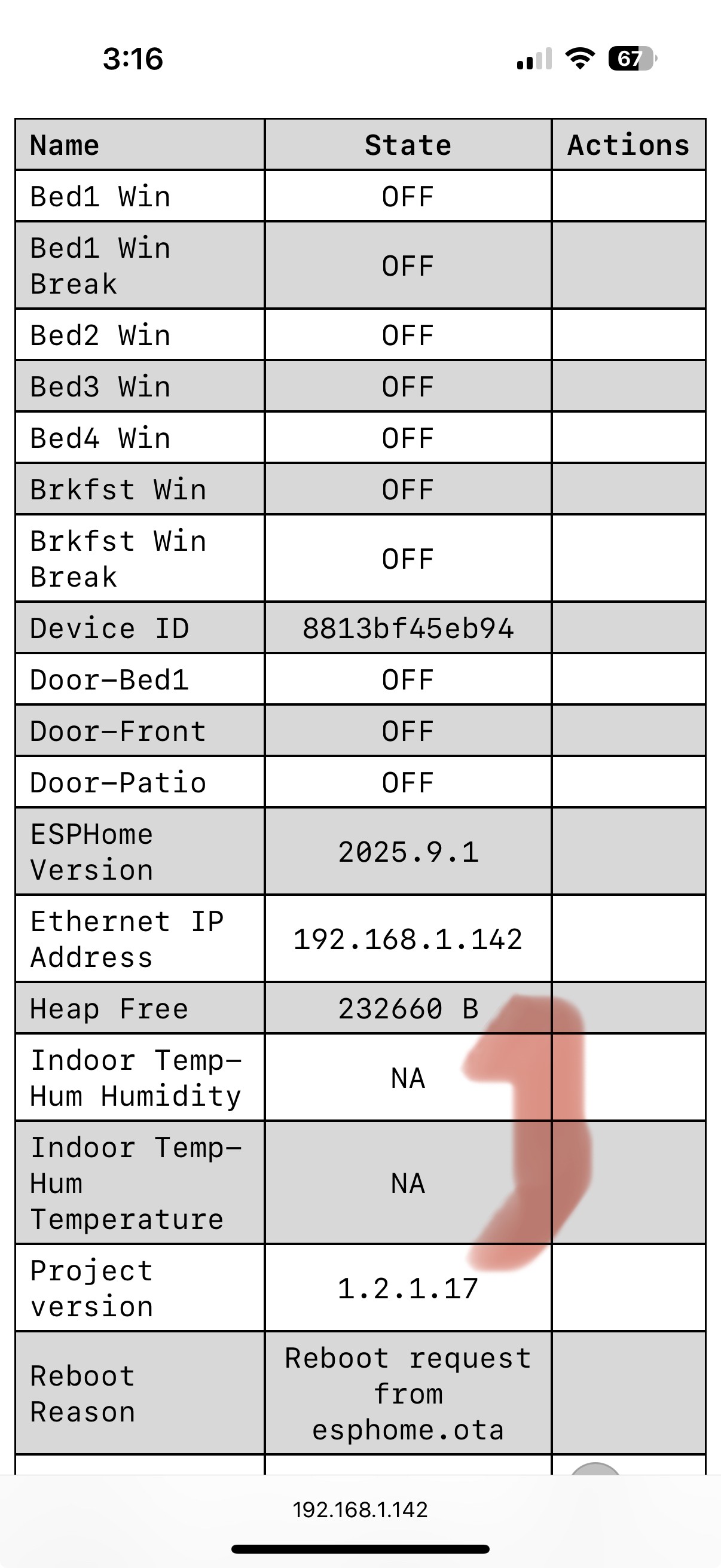
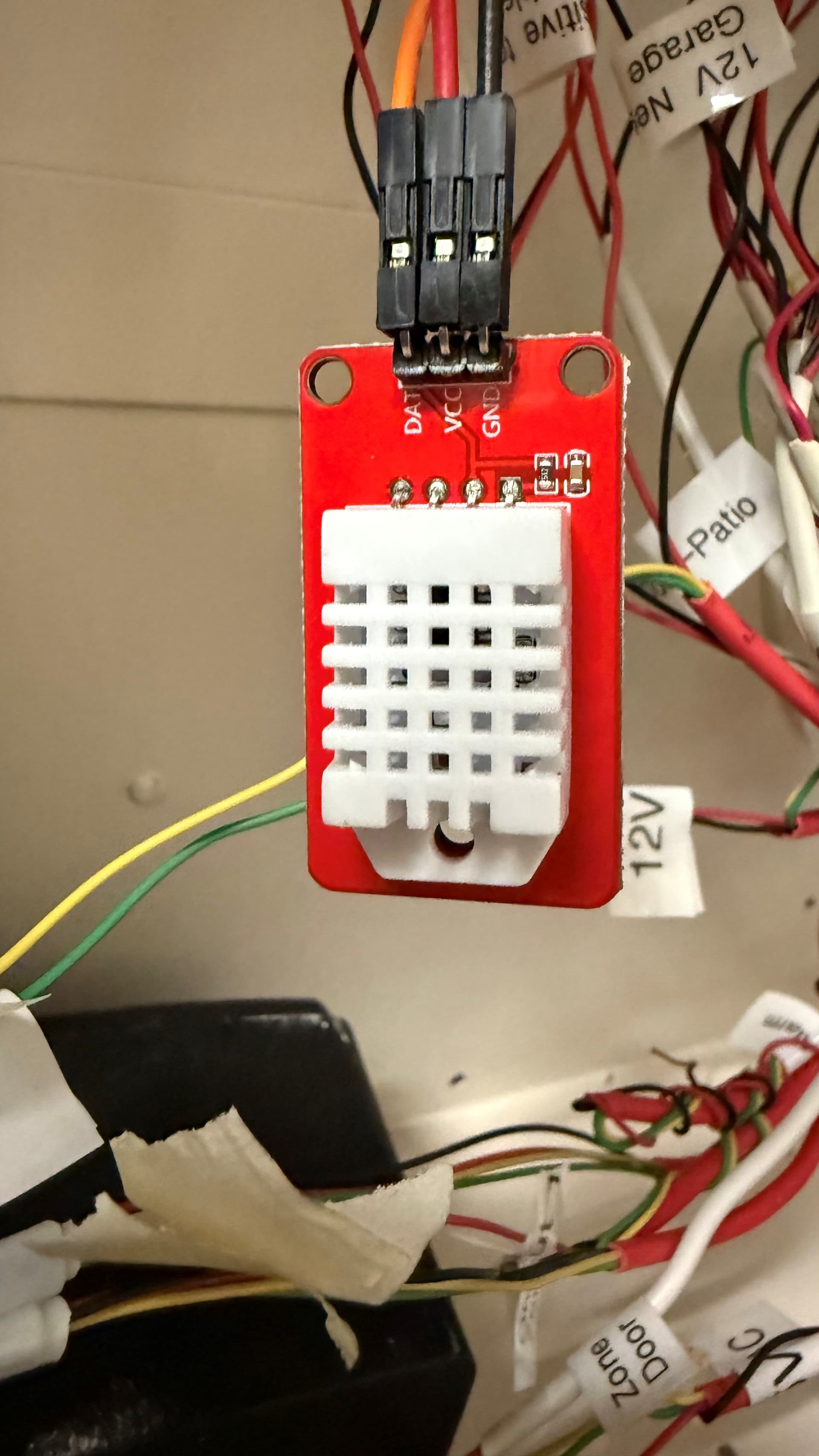
Based on the esphome log file, I am experiencing an error “Communication failed”, “Invalid readings! Check pin number and pull-up resistor and try manually specifying the model.” on both of my recently (<3 months ago) purchased temp-humidity sensors. See pictures and documentation below. I am new to this technology, but learning fast. What am I doing incorrectly?
I followed the wiring diagram provided, but initially used too high a Zone for the DAT connection that was not compatible. I am now using Zone 1, with nothing connected to Zone 2 (in case of a conflict). I am using Alarm Panel Pro 45eb94 (project version 1.2.1.17) on ESPHome version 2025.9.1
The Alarm Panel Pro web page indicates “NA” for both “Indoor Temp-Hum Temperature” and “Indoor Temp-Hum Humidity”. The Alarm Panel Pro is providing a measured 5.04VDC at the +5V (red wire) and GND (black wire) pins. I always use “Indoor Temp-Hum” in the Zone setup and have tried variations on Update intervals and Units, but nothing works.T
It doesn’t look like you’re doing anything wrong. We’ve recently heard a couple of similar reports of temperature/humidity sensors not working reliably. I think it may be related to this ESPHome issue.
I was working with another customer who had a similar issue, but his would work for a little while, and then stop working with the same error. Is yours never getting a good reading at all? Do you have a 2nd sensor to try in case it’s a problem with the sensor itself?
Thanks for this Nate. I bought 2 DHT22 devices on the same order and neither one has provided any data. I initially tried them both when I received them (~3 months ago) - they did not work, but i had no time to follow-up. I tried them again a few days ago, still did not work, so I documented the problem and reported it. I could check the log files for sporadic evidence of valid data, but unsure how to get access to that other than what is scrolling on my Konnected device web page.
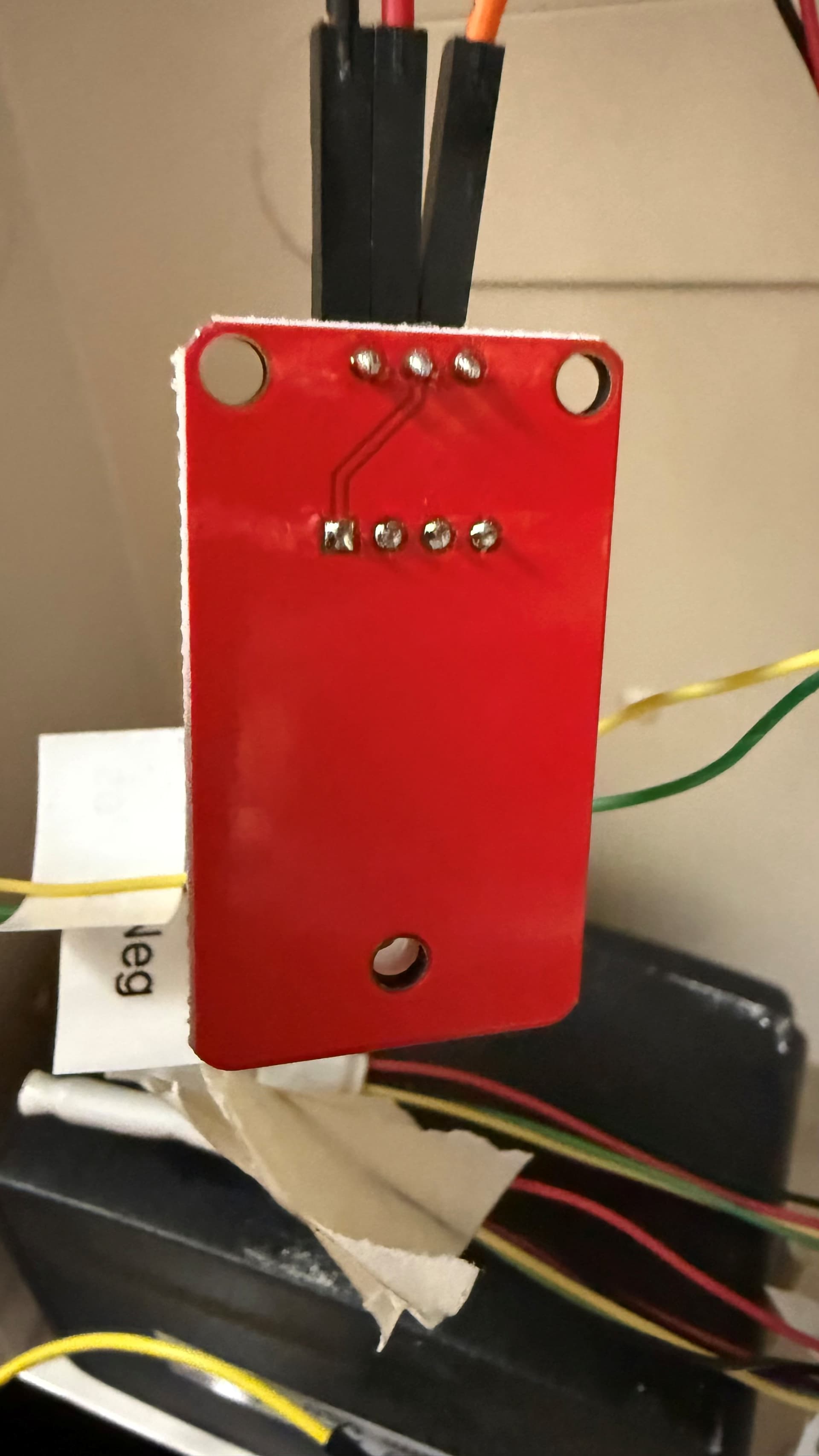
I did note the DHT22 circuit board has some “post-pin” etching to resistors? and reroutes pins to other pins? Has the manufacturer changed the pin-out design?
See attached photos of bottom and top of this circuit board.
Thanks for this Nate. I have 2 devices and neither one has provided any data. I initially tried them both when I received them (3 months ago) - they did not work. I tried them again a few days ago, still did not work, so I documented the problem and reported it.
I’ve had a few other reports of this issue. I believe that the problem is that ESPHome is not automatically detecting the type of sensor. I’m not sure when or why this changed, but there is a solution. I have an update to the Konnected app coming that will add a select box to choose the sensor type in the DHT zone configuration.
My 2 x DHT22’s are still not providing any data and have the same errors as initially documented. I updated my Konnected App to v1.6.7 this morning and noted a new drop-down menu “Model” under the Zone “Type” “Indoor Temp-Hum”. I tried new firmware using models: DHT22 (Type 2), DHT, Auto, AM2302, and DHT11. None of these models worked with either of my 2 x AM2302DHT22 sensors.
At this point I would like a replacement for these 2 x DHT22 sensors from Order #49965 as I believe they are faulty, especially after this latest Konnected app update to accommodate so many different models of DHT.
I just played with this and initially had the same issue as you. I dug into the firmware to figure out what could be wrong here, and I think I solved it. A fix is deploying to our servers now – to apply it you will need to edit and build a new firmware build for your device and apply the update.
I’m not sure if it really matters what model is selected – I had success on my Alarm Panel Pro with DHT22_TYPE2 and AM2302 selected.
The trick seems to have been a configuration of the internal pullup on the pin. Since these “red board” temperature sensors have an external pullup resistor already built-in, I think the firmware was trying to add an internal pullup which was conflicting with the external pullup that’s already on the sensor. Anyway, I disabled the internal pullup in our firmware configuration now, and the readings were accurate and reliable in my testing after doing so.
Please update your firmware and let us know how that goes.
Hi Nate, I am in the same situation, alarm panel pro on firmware 1.2.2.2 with DHT sensor ordered from you, temperature and humidity on zone 1 and tried zone 2, are showing NA
Nate - About 1 month ago, I tried multiple configurations and both Zone 1 and Zone 2, but still receiving NA for data. Sorry for not reporting this then, but I just did not have the time. If you have DHT22 hardware (x2) that works, I would love if you could send it to me (and others with the same problem) along with the configuration used. Thank you.
I’ve been hearing more and more reports of this issue with DHT sensors. I played with it a few months ago and got it to work by adding those additional DHT type options. It sounds like something broke it again, maybe related to updated ESPHome firmware.
Just adding to this thread that I am also having this issue. New panel and new sensor. Double triple checked my wiring. Tried on zone 1 and 2. Get the same communication error whether I’m set to auto, DHT22 type 1 or 2.
Hey Nate, just piling on, I suppose. I’m in the process of migrating all my Konnected boards to espHome and today noticed my DHT22 is not getting picked up when flashing the board no matter what model I use.
@nate any update on this issue – I migrated all my boards to espHome. Works great except for temp/humidity sensors, which aren’t behaving. Seems like this has been a known issue and would appreciate status update. Not trying to corner you on unknowables – more trying to make informed decisions about whether to wait it out, or move into another direction.
I’ve just played with this a little bit with mixed success.
It seems that there may be a few different generic variants of this sensor out that we’ve sold at various times. All of them have a red PCB and three male pins labeled GND, VCC, and DAT.
An older one that has the text AM2302 DHT22 Sensor printed on the side seemed to work pretty reliably when selecting “DHT22 (Type 2)” and “AM2302” as the model in the firmware config settings.
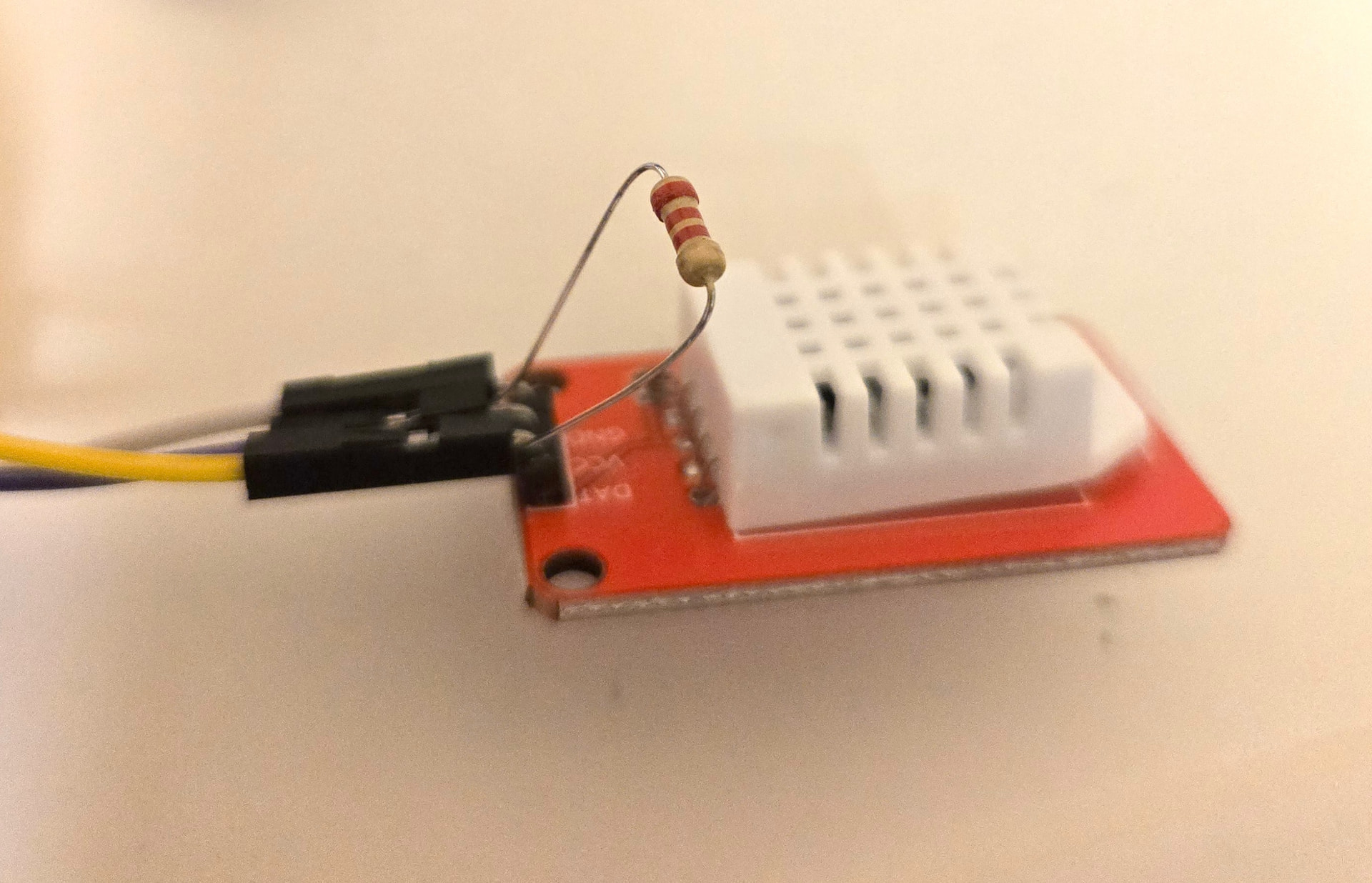
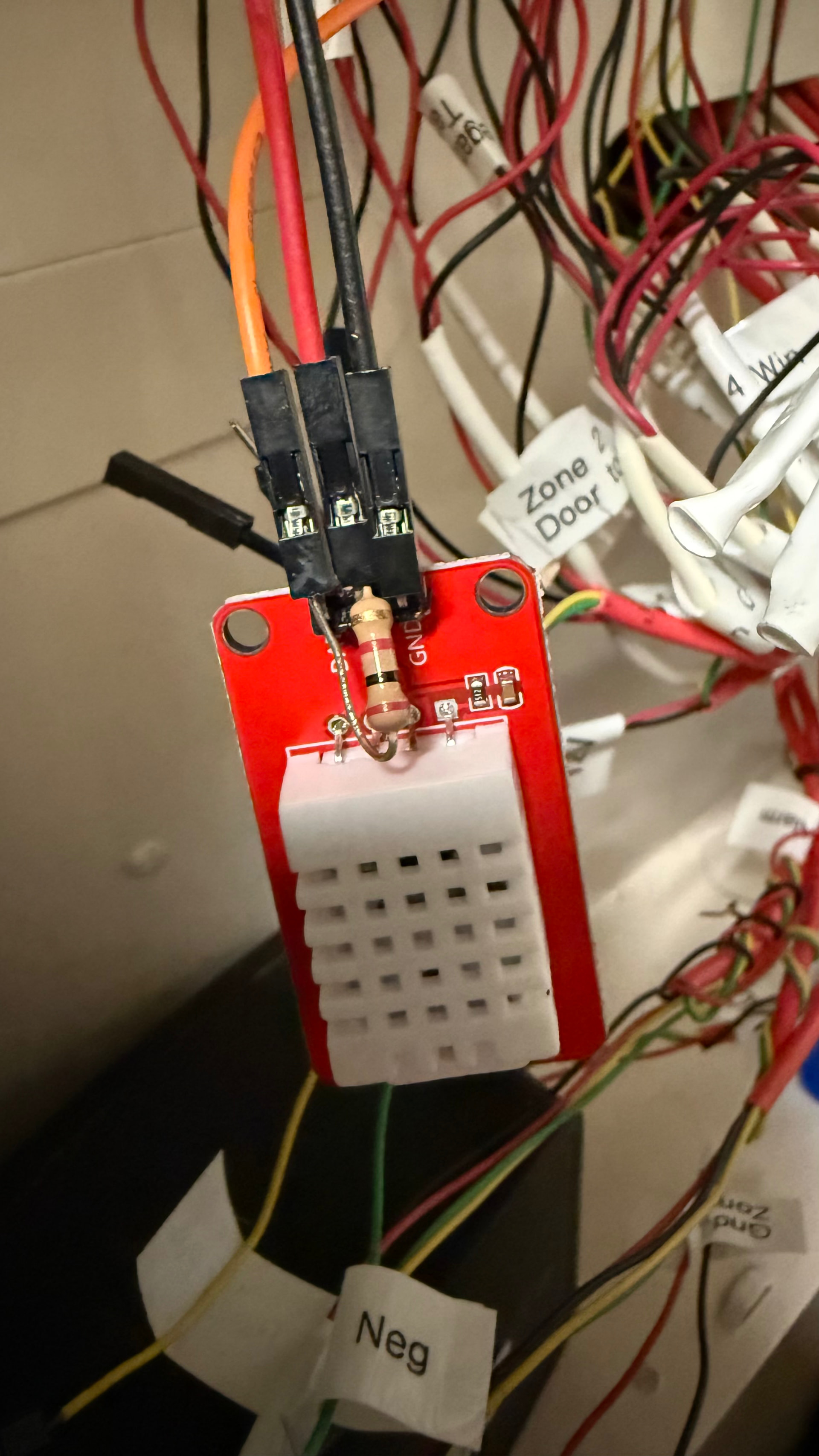
The other one, without any markings, didn’t want to work no matter what settings I gave it. Then I tried adding another resistor between VCC and DAT and now I’m getting a reading! I tried it with adding a 5.6kΩ and 2.2kΩ resistor, and both worked. I literally just jammed the ends of the resistor into the female jumpers before forcing it on to the DHT sensor pins
Even though these do have built-in resistors – I checked and there is 5kΩ between the VCC and DAT pins without the external resistor, for whatever reason adding the extra resistance helped at least for this model.
If you have some resistors laying around, please try and report back.
@nate Im still really struggling with this. I’ve spent an embarrassing number of hours troubleshooting and best I can figure I have two different problems happening:
When using the 6-zone board, if I use zone 6 for a DHT sensor, the Konnected mobile app never sees the sensor when flashed and the web server doesn’t even create a device. This isn’t a huge problem as I can simply swap zones; but also
Even when I use a better behaving pin, I only get NA in the web server. The log complains about Invalid Readings. I moved it to a Pro board and am getting the same thing.
I did try the resistor trick but, just like you, that only helps with some of the devices. I just purchased a couple DHTs that are the same models as the couple that work with the resistor, so I’m hoping I’m half way there.